AI Reports
Get AI-powered insights into your business performance with comprehensive analytics and actionable recommendations.
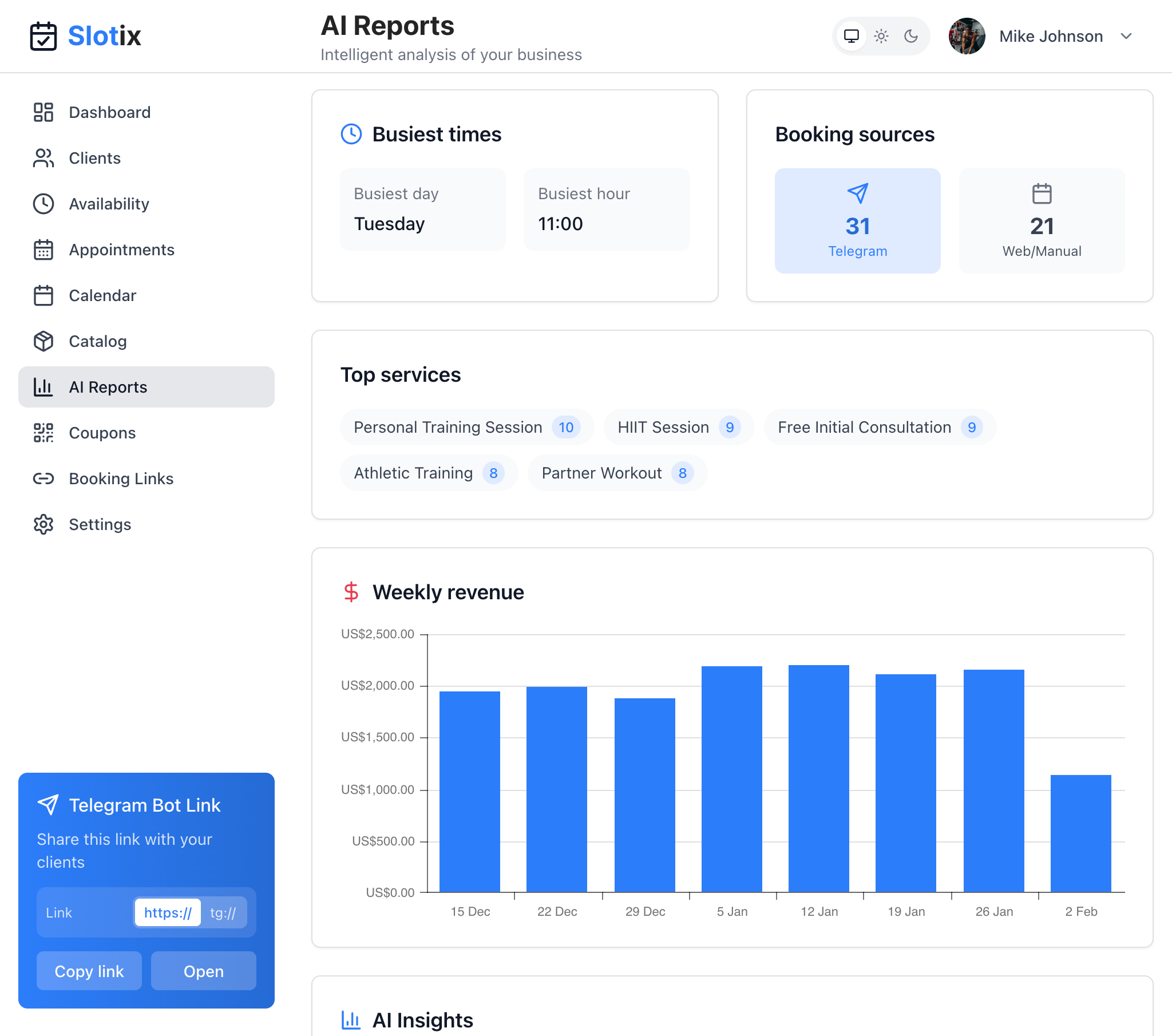
AI Reports
Accessing Reports
Navigate to AI Reports from the dashboard sidebar to view your intelligent business analysis.
Report Sections
Busiest Times
Identifies your peak business hours at a glance:
- Busiest Day - Day of the week with most appointments (e.g., Tuesday)
- Busiest Hour - Hour with most appointments (e.g., 11:00)
Use this to optimize staffing and availability settings.
Booking Sources
Visual breakdown of where bookings come from with counts:
- Telegram - Appointments booked via the Telegram bot
- Web/Manual - Appointments from your booking page or manual entry
Top Services
Your most frequently booked services displayed as badges with booking counts. This helps you understand which services are most popular and consider promoting less popular ones.
Weekly Revenue
Interactive bar chart showing revenue trends over time. Track your earnings week by week to identify patterns and growth opportunities.
AI Insights
The most valuable section - AI-generated analysis including:
- Performance highlights - What’s going well
- Opportunities - Growth possibilities identified
- Warnings - Areas needing attention
- Recommendations - Specific actions to take
Each insight has a priority level (High, Medium, Low) to help you focus on what matters most.
Report Periods
Generate reports for different time periods:
| Period | Description |
|---|---|
| Week | Current week (Monday to Sunday) |
| Month | Current calendar month |
| Year | Current calendar year |
| Custom | User-defined date range |
PDF Export
Download reports as PDF documents:
- Generate the report
- Click Download (PDF icon)
- PDF includes all report sections
Perfect for sharing with partners or for your records.
Tips for Using Reports
- Review weekly - Stay on top of trends
- Act on AI recommendations - They’re based on your data
- Track over time - Compare month-to-month
- Share with your team - If applicable
- Set goals - Use insights to set improvement targets