Booking Links
Generate unique, shareable booking links for your clients. Perfect for marketing campaigns, specific clients, or tracking booking sources.
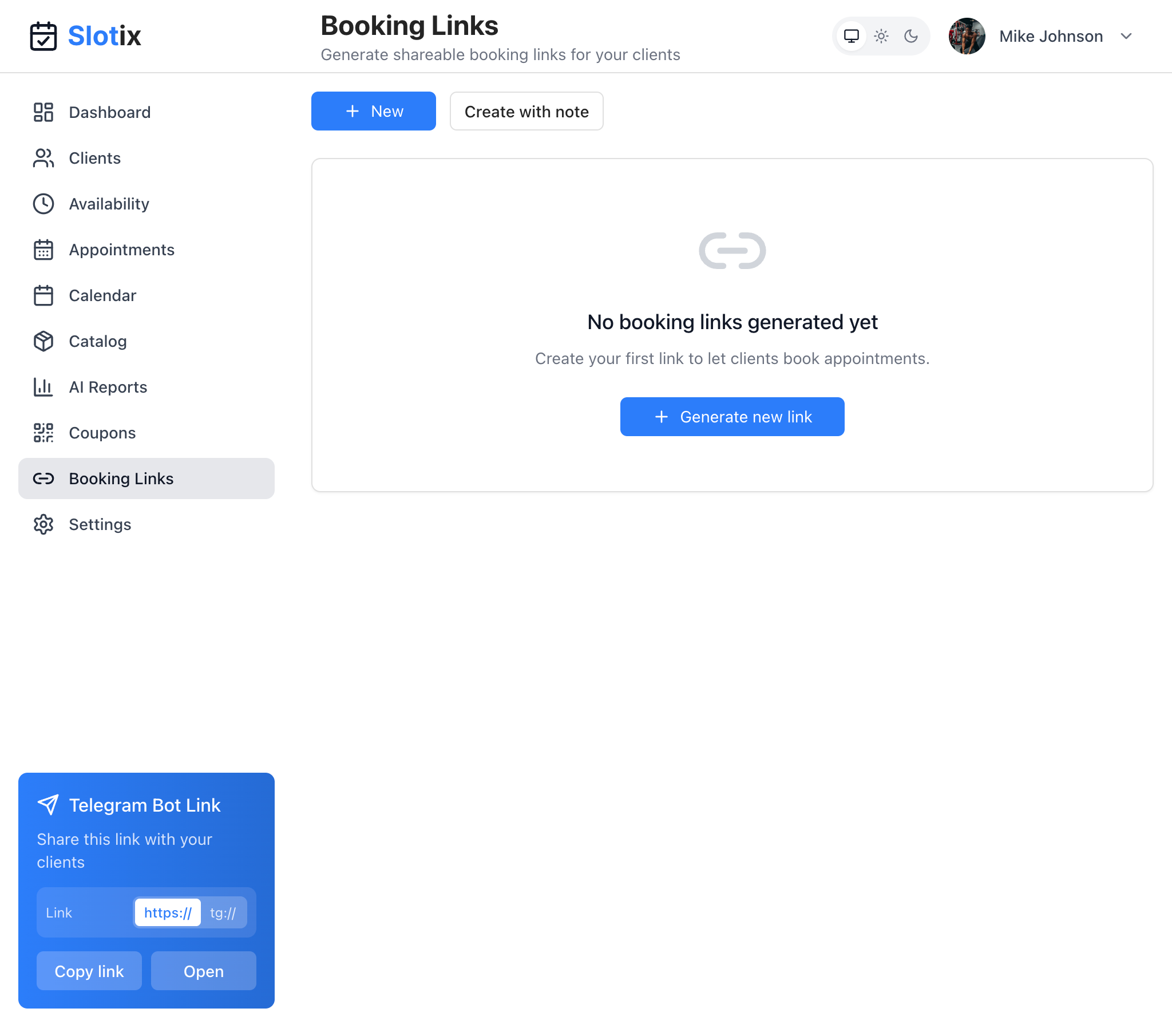
Booking Links
Accessing Booking Links
Click Booking Links in the sidebar to create and manage your shareable links.
What Are Booking Links?
Booking links are unique URLs that clients can use to book appointments directly. Unlike the standard Telegram bot link, booking links can be:
- Customized for specific campaigns
- Tracked for marketing analytics
- Created with notes for reference
- Generated on-demand
Creating Booking Links
Quick Create
- Click the + New button
- A new link is generated instantly
- Copy and share with your clients
Create with Note
- Click Create with note
- Add a description to identify the link’s purpose
- Click generate
The note helps you remember why you created the link (e.g., “Instagram bio”, “Email campaign March”).
Generate from Empty State
If you haven’t created any links yet:
- You’ll see “No booking links generated yet”
- Click + Generate new link
- Your first link is created
Link Features
Each booking link provides:
- Unique URL - A distinct link for tracking
- Creation date - When the link was generated
- Note - Your reference description
- Click statistics - Track how many times the link was used
Use Cases
Marketing Campaigns
Create separate links for each campaign:
- Instagram bio link
- Facebook ads
- Email newsletters
- Flyers and business cards
This lets you track which channel brings the most bookings.
Special Promotions
Create links for time-limited offers:
- Holiday specials
- New client promotions
- Referral programs
Client Segments
Create links for different client groups:
- VIP clients
- New clients
- Corporate bookings
Telegram Bot Link Widget
In addition to custom booking links, you always have access to your main Telegram bot link through the widget in the bottom-left corner:
- Shows your bot link (https://…)
- Copy link button for quick copying
- Open button to test the link
Tips for Using Booking Links
- Use descriptive notes - Remember why you created each link
- Create campaign-specific links - Track your marketing efforts
- Monitor performance - See which links generate the most bookings
- Clean up unused links - Remove links you no longer need
- Share widely - Put links wherever potential clients might see them