Loyalty Coupons
The loyalty coupon system automatically rewards clients who reach spending thresholds, helping you retain customers and encourage repeat business.
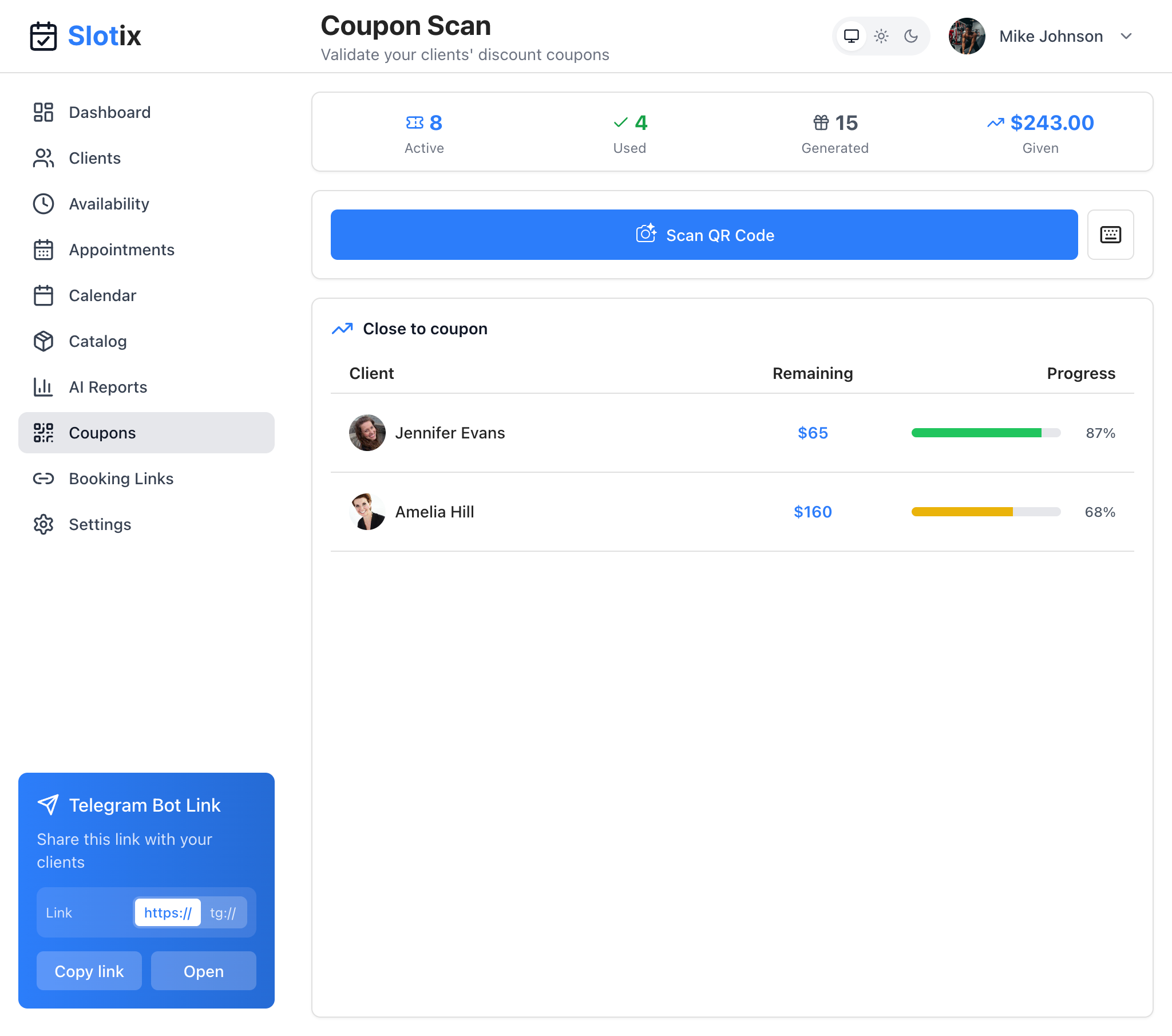
Coupon Scan
Coupon Dashboard
The Coupons page (also called “Coupon Scan”) provides a complete overview of your loyalty program:
Statistics Overview
At the top of the page, you’ll see key metrics:
- Active - Number of coupons currently available for use
- Used - Number of coupons that have been redeemed
- Generated - Total coupons created
- Given - Total discount value given to clients
QR Code Scanner
The prominent Scan QR Code button lets you quickly redeem coupons when clients arrive. Simply click it and scan the QR code from your client’s phone.
Close to Coupon
This section shows clients who are close to earning their next coupon:
- Client name and profile photo
- Remaining amount to reach threshold
- Progress bar showing percentage completed
This helps you identify clients to encourage for one more visit!
How It Works
Automatic Generation
When a client’s total spending reaches your configured threshold:
- The system automatically generates a unique coupon
- A QR code is created for easy redemption
- The coupon is sent to the client via Telegram or WhatsApp
- You’re notified about the new coupon
Manual Sending
You can also manually send coupons to specific clients:
- Go to Clients and select a client
- Click Send Coupon
- Choose the discount type and value
- The coupon is immediately sent to the client
Configuration
Enable Loyalty Coupons
- Go to Settings > Coupons tab
- Toggle Enable loyalty coupons on
- Configure your settings
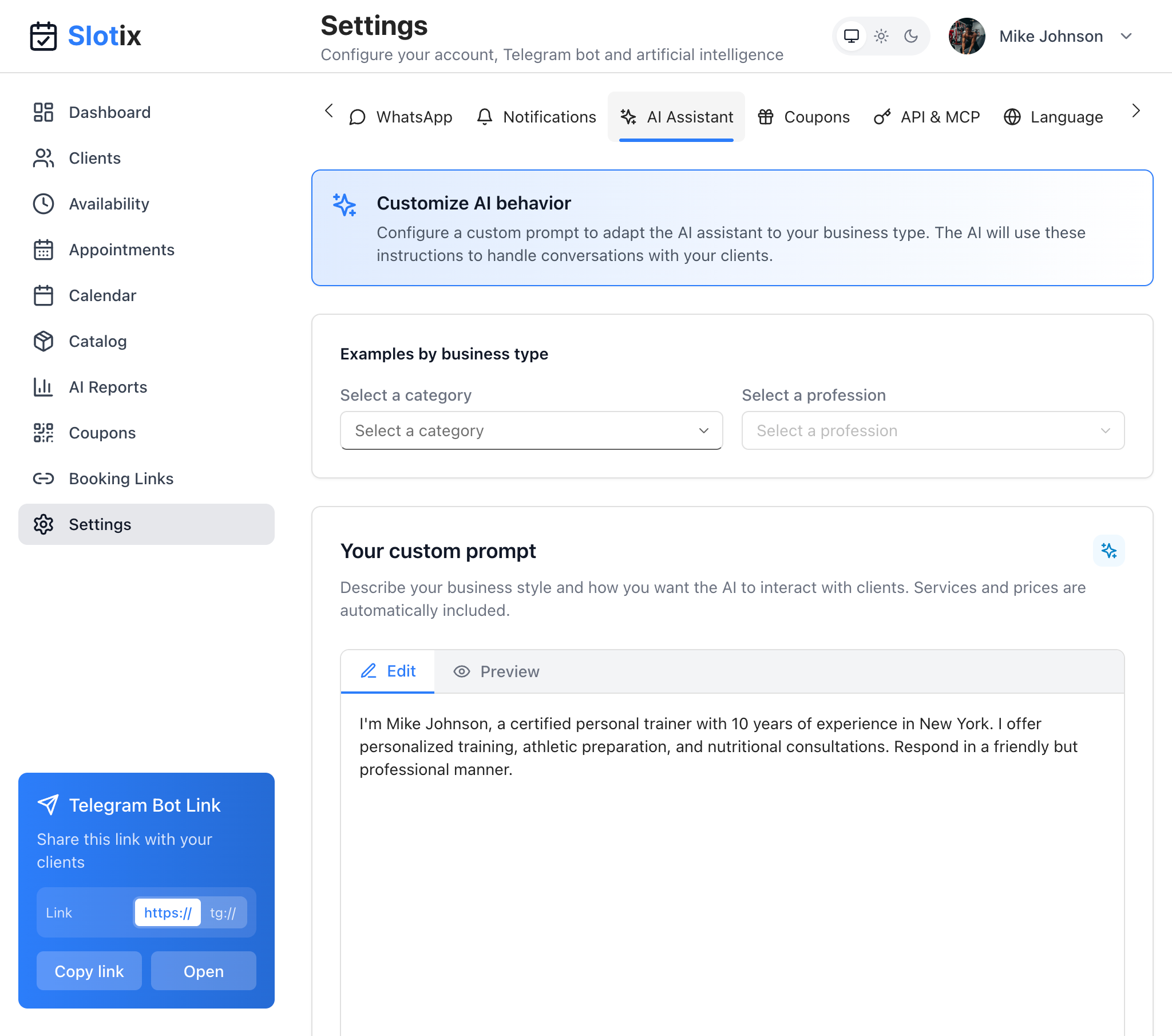
Coupon Settings
Settings Options
| Setting | Description |
|---|---|
| Spending Threshold | Minimum amount spent to generate a coupon (e.g., € 500.00) |
| Discount Type | Fixed amount or Percentage (select via radio buttons) |
| Discount Value | The discount amount (e.g., € 50.00) |
| Validity (days) | Number of days before coupon expires (e.g., 90) |
Example Configuration
- Threshold: € 500.00
- Discount Type: Fixed amount
- Discount Value: € 50.00
- Validity: 90 days
When a client spends € 500 total, they receive a € 50 discount coupon valid for 90 days.
Redeeming Coupons
Using QR Scanner
The easiest way to redeem coupons:
- Go to Coupons from the sidebar
- Click Scan QR Code button
- Scan the QR code from the client’s phone
- The system verifies the coupon is valid
- The client’s upcoming appointments are displayed automatically
- The appointment closest to the current time is auto-selected — you can change the selection if needed
- A preview of the calculated discount is shown
- Click Redeem to apply the coupon to the selected appointment
The discount is linked directly to the appointment for accurate accounting. Each appointment can have only one coupon applied, and the discount amount is tracked separately from the service price.
From Client Profile
You can also redeem from a client’s profile:
- Go to Clients > Select client
- View their Active Coupons
- Click Redeem on the coupon
QR Code Delivery
Coupons are delivered as QR codes:
- Telegram: Sent as an image with a congratulatory message
- WhatsApp: Sent as a message with a link to view the QR code
Clients show the QR code when arriving for their appointment.
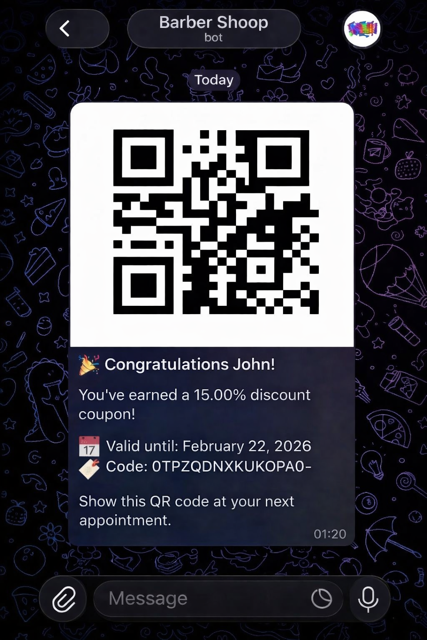
Coupon code delivered via Telegram
Spending Calculation
What Counts Toward Threshold
- Completed appointments with recorded payments
- Only appointments marked as “Paid”
- Spending accumulates over time
Threshold Reset
After a coupon is earned:
- The spending counter resets to zero
- Client begins accumulating toward their next coupon
- Multiple coupons can be earned over time
Tips for Success
- Set achievable thresholds - Start lower to encourage quick wins
- Meaningful discounts - Make rewards worth the effort
- Reasonable validity - Give clients time to use coupons
- Promote the program - Let clients know about loyalty rewards
- Track results - Monitor how coupons affect repeat bookings